Google Meet, Teams and Zoom in your language
No more language barrier in your meetings. The Sponkly extension shows what everyone says as live subtitles in your language, can read it aloud — and lets the others hear you in their language.
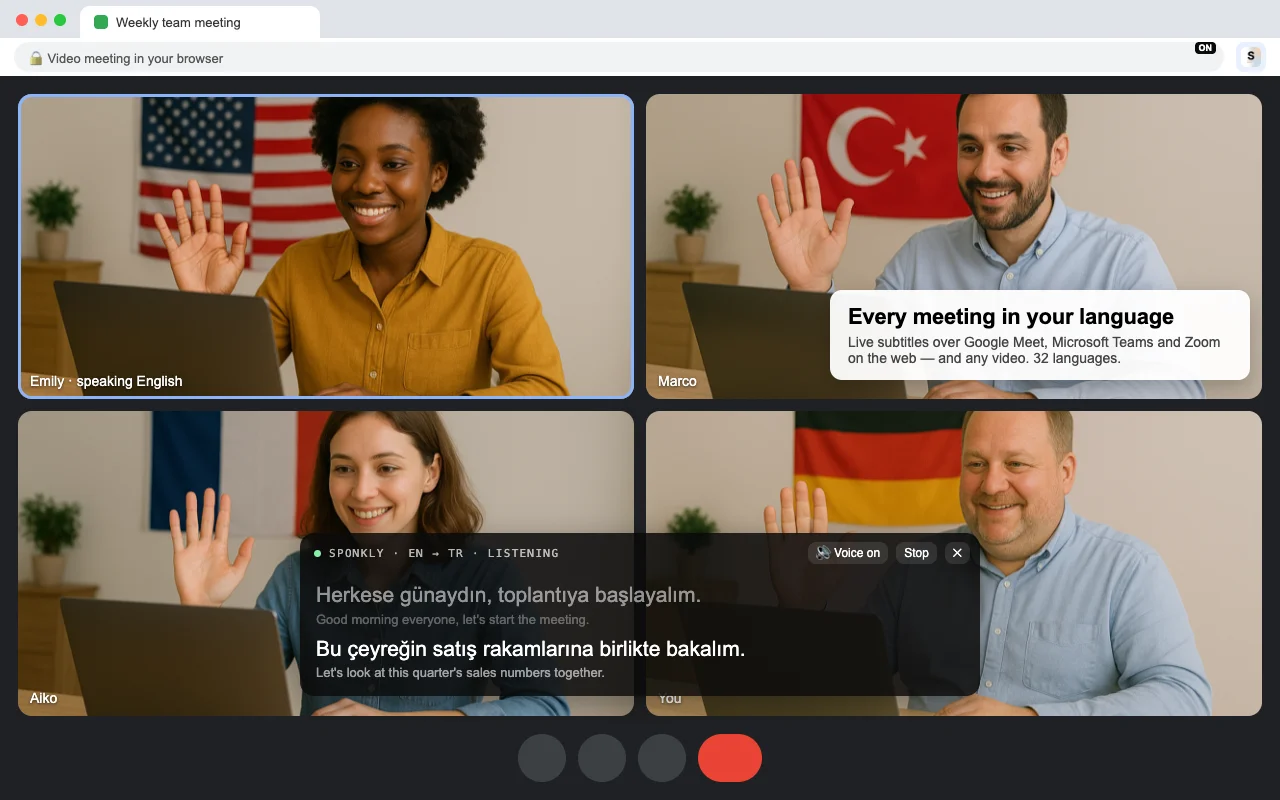
Three clicks to understand everyone
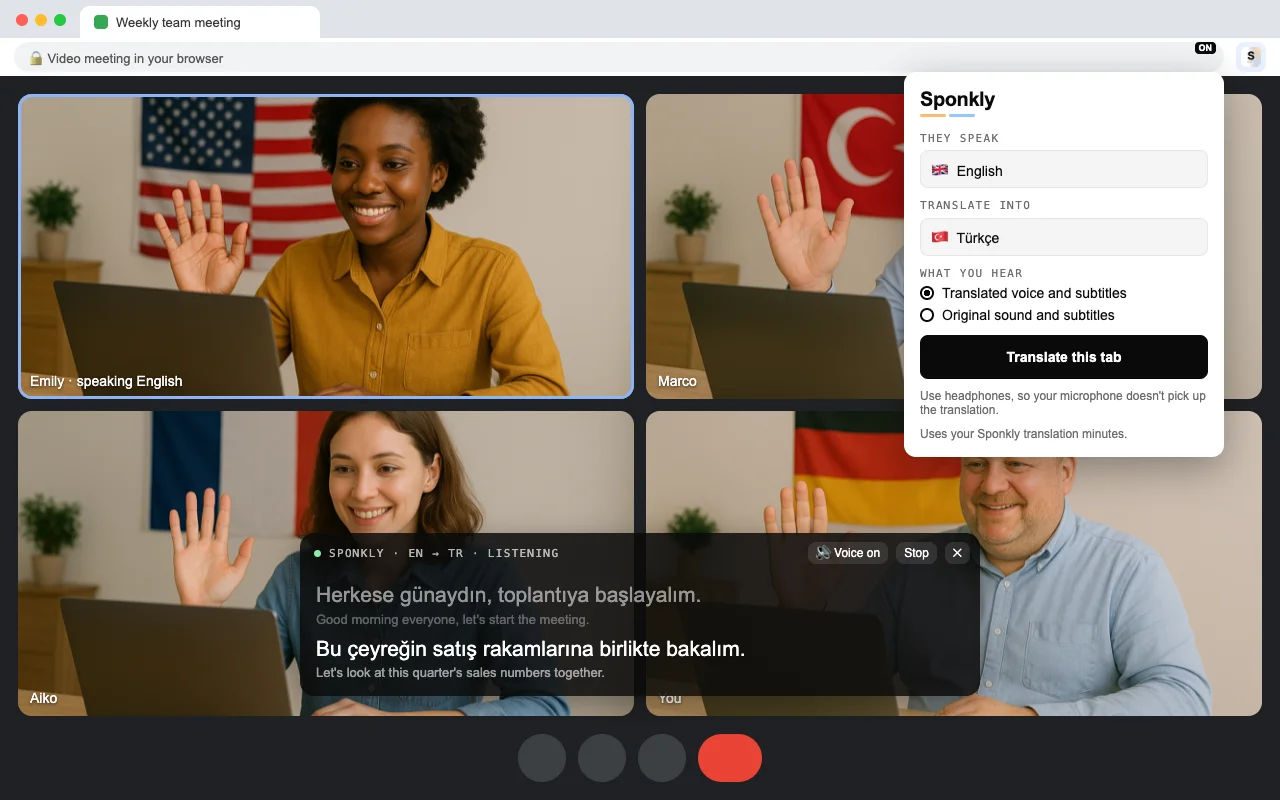
Add the extension to Chrome and sign in with your Sponkly account. Then, in any meeting or video:
- Click the Sponkly icon in Chrome's toolbar
- Choose the language they speak and the language you want
- Click "Translate this tab": subtitles appear over the page
Works where you already meet
No meeting add-on, no new app for the others: the extension works on the meeting page in your browser.
- Google Meet in the browser
- Microsoft Teams on the web
- Zoom in the browser
- Any other tab: YouTube, webinars, online classes
What you get
Live subtitles
Each sentence in your language over the meeting, with what was said underneath. Move the box anywhere on the page.
A translated voice
Turn it on and the translation is read aloud while the original sound is lowered. Turn it off to keep the original sound with subtitles.
They hear you in their language
Turn on “Translate my voice too” on Google Meet, Microsoft Teams or Zoom: what you say is translated, and the others hear it in their language a moment after you speak. Use headphones.
32 languages
From English, Spanish and Arabic to Japanese, Hindi, Turkish, Ukrainian, Persian and Catalan.
Nothing for the others
The others keep using Meet, Teams or Zoom as usual. Only you need the extension.
Private
Only the tab you choose is listened to — and your microphone, if you turn on “Translate my voice too” — and only until you stop. Speech is translated on Sponkly's servers and not stored.
Part of your plan
The extension uses your plan's translation minutes, like translated calls. Every new account starts with a 1-week free trial.
Questions
Does it work in the Zoom or Teams desktop apps?
The extension works in Chrome: Google Meet, Microsoft Teams on the web and Zoom in the browser. Join the meeting in your browser instead of the desktop app.
Do the others hear me in their language?
Yes, if you turn on “Translate my voice too” (Google Meet, Microsoft Teams and Zoom in the browser). What you say is translated and the others hear it in their language, a moment after you speak. They don't need to install anything. Muting your microphone in the call stops it.
What does it cost?
The extension is free to add. Translation uses your Sponkly plan's translation minutes; every new account starts with a 1-week free trial.
Is the meeting recorded?
No. Only the tab you choose — and your microphone, while your voice is translated — is listened to. Speech is translated and then forgotten: nothing is recorded or stored.