Meetings where everyone speaks their own language
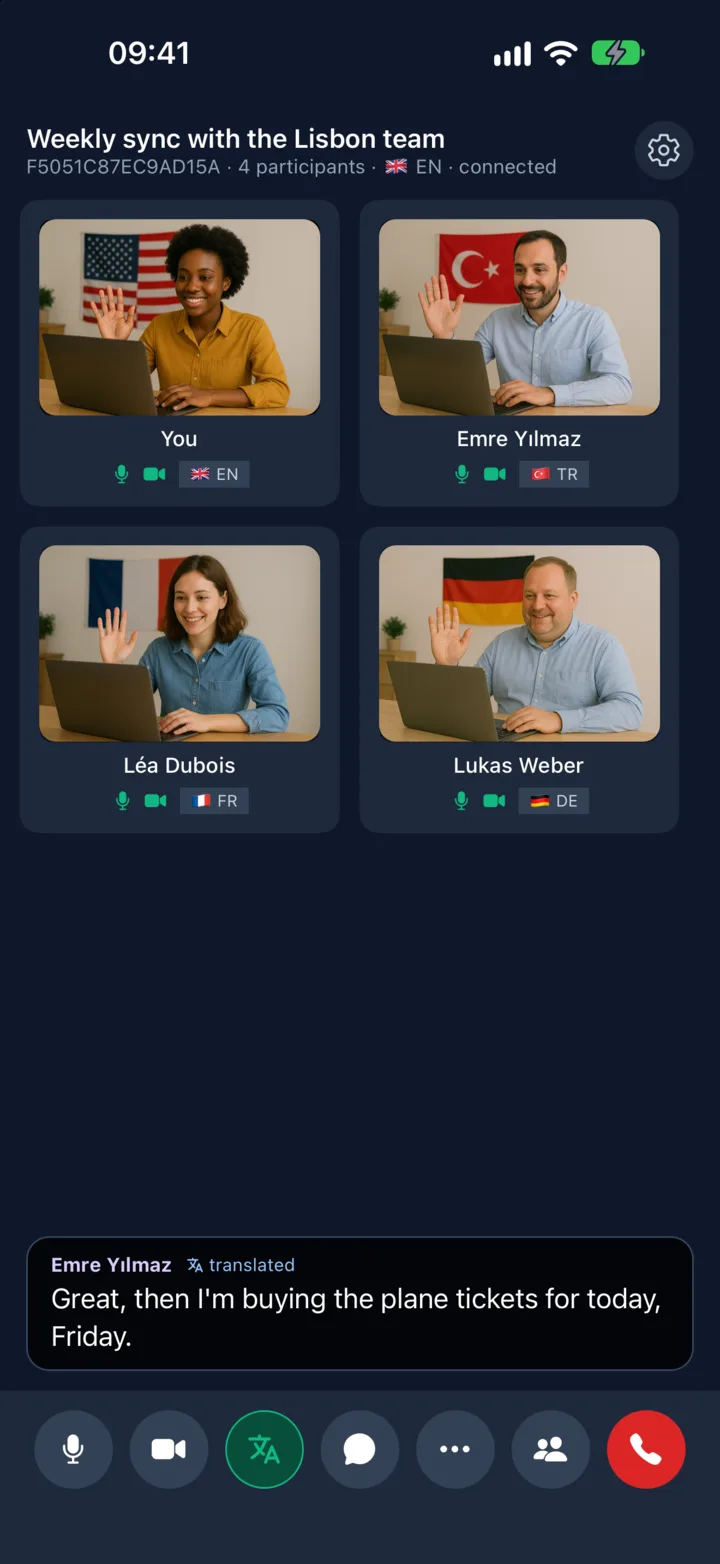
Video meetings for up to 8 people. Each person picks one of 32 languages and hears the others in it, with subtitles and a natural voice, about 1–2 seconds after each sentence. In the app or in any browser.
Live voice translation and subtitles
Talk normally and finish your sentence. The others read it as a subtitle with your name and hear it in their language, in the voice you chose. Translation works sentence by sentence, not word by word.
- 32 languages; each person chooses their own
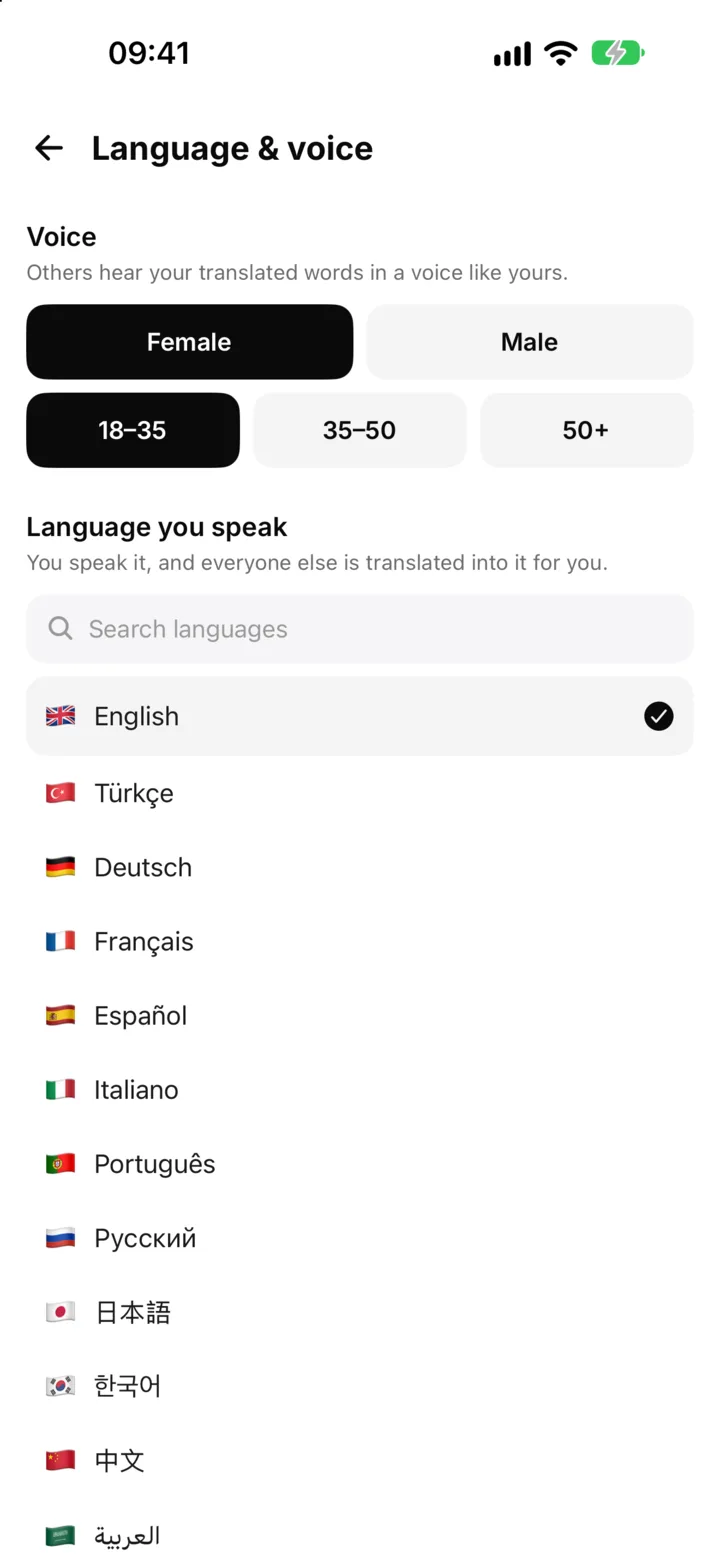
- Set your language and voice once under Profile → Language & voice, and change them in the room
- Female or male voice and an age range; in the browser also a neutral voice
- Turn translation off for yourself to hear everyone as they speak
Start now, or schedule it
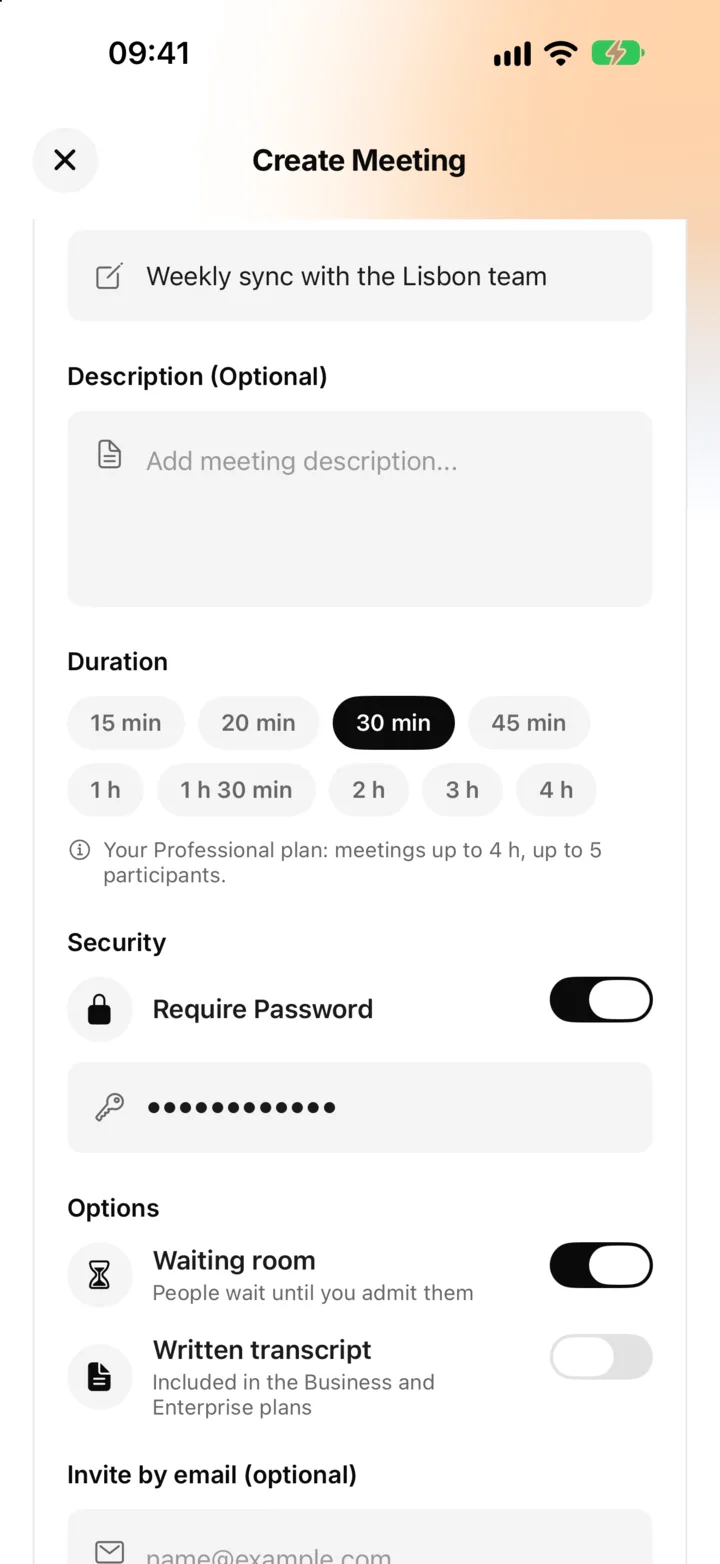
Create a meeting now or for later, with a title, a description and a planned length. Every meeting has a password: one is made for you, or set your own of at least 4 characters. The invite link carries the password, so guests just click it.
- Invite up to 20 people by email
- Invitees get a reminder email 15 minutes before
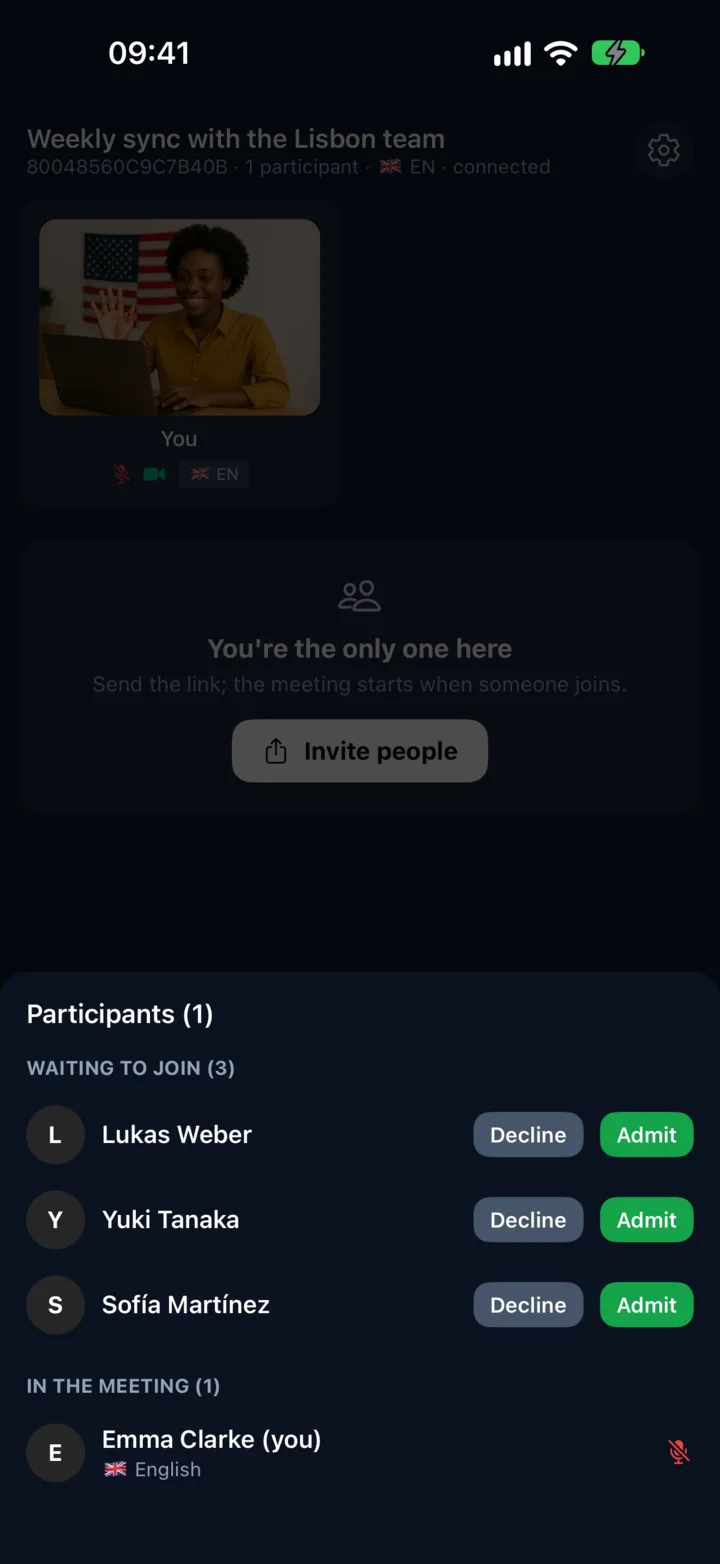
- An optional waiting room: admit or decline each person (in the browser also everyone at once)
- Share the link, resend the invitation or close the meeting from Meetings
- Join with a code and password, or with the link
Run the meeting your way
HD video (720p) that adapts as more people join, and the tools a meeting needs. The host sees everyone in the participants list and can remove someone or end the meeting for everyone.
- Raise your hand to take a turn
- Polls for a quick decision
- Emoji reactions without interrupting
- The host can remove a participant, who can't rejoin, or end for everyone
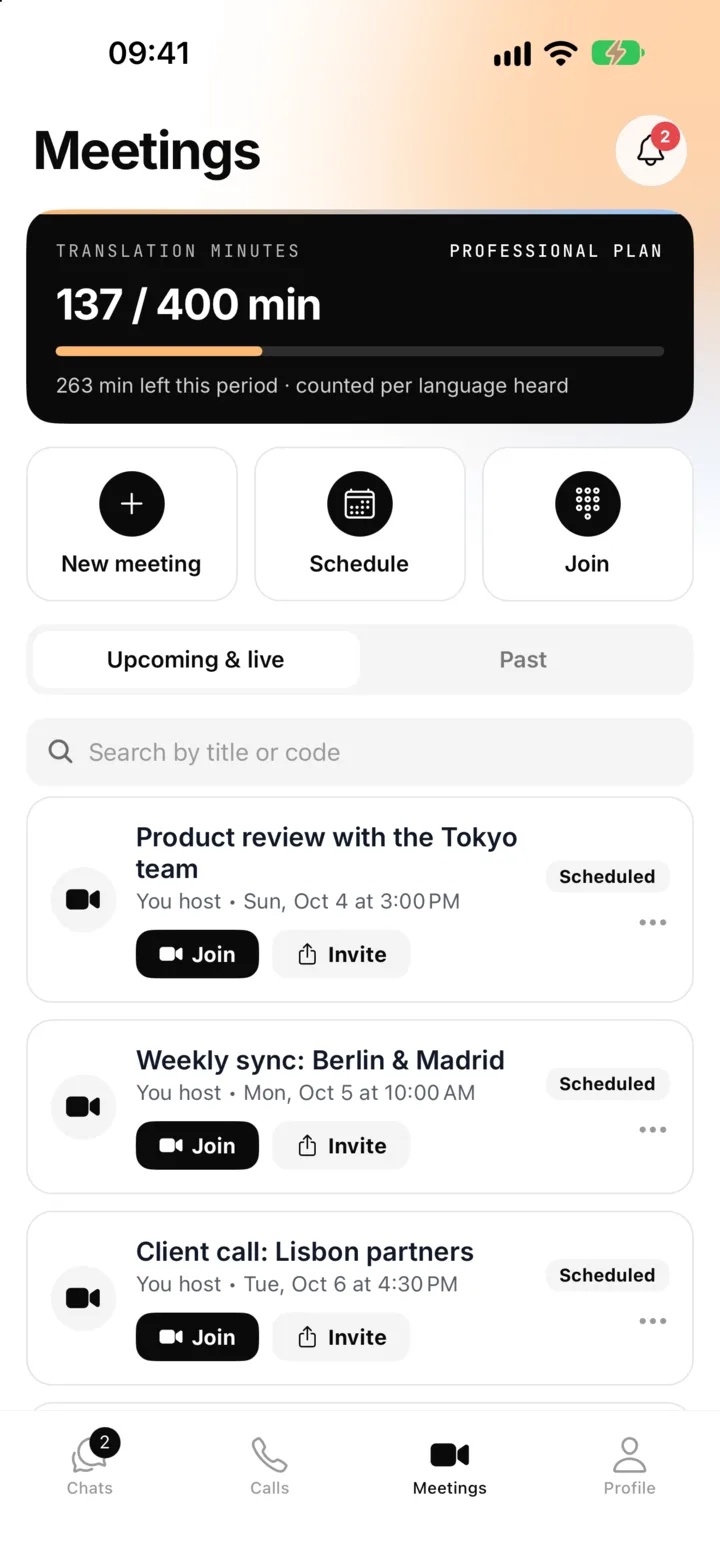
- A banner shows the translation minutes left, and a countdown before the plan's time limit
Chat, files and screen sharing
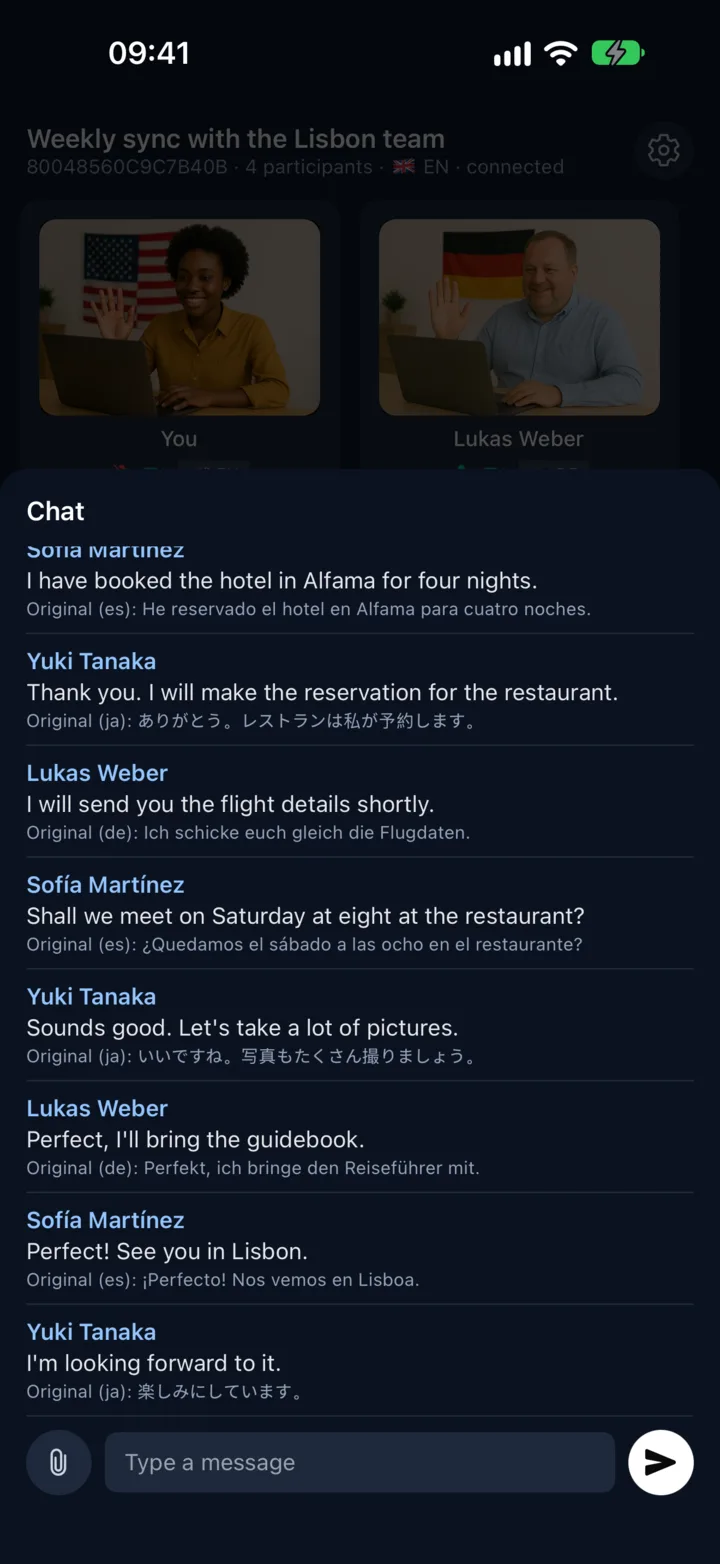
The meeting chat is translated for everyone, so a typed question reaches each person in their language. Share documents and pictures, and show your screen from a browser while the translation keeps running.
- Chat messages translated into each reader's language
- Files up to 50 MB each
- Screen sharing from a browser on a computer
- Meeting chat and files are deleted after 30 days
Business and Enterprise
Minutes without a minute-taker
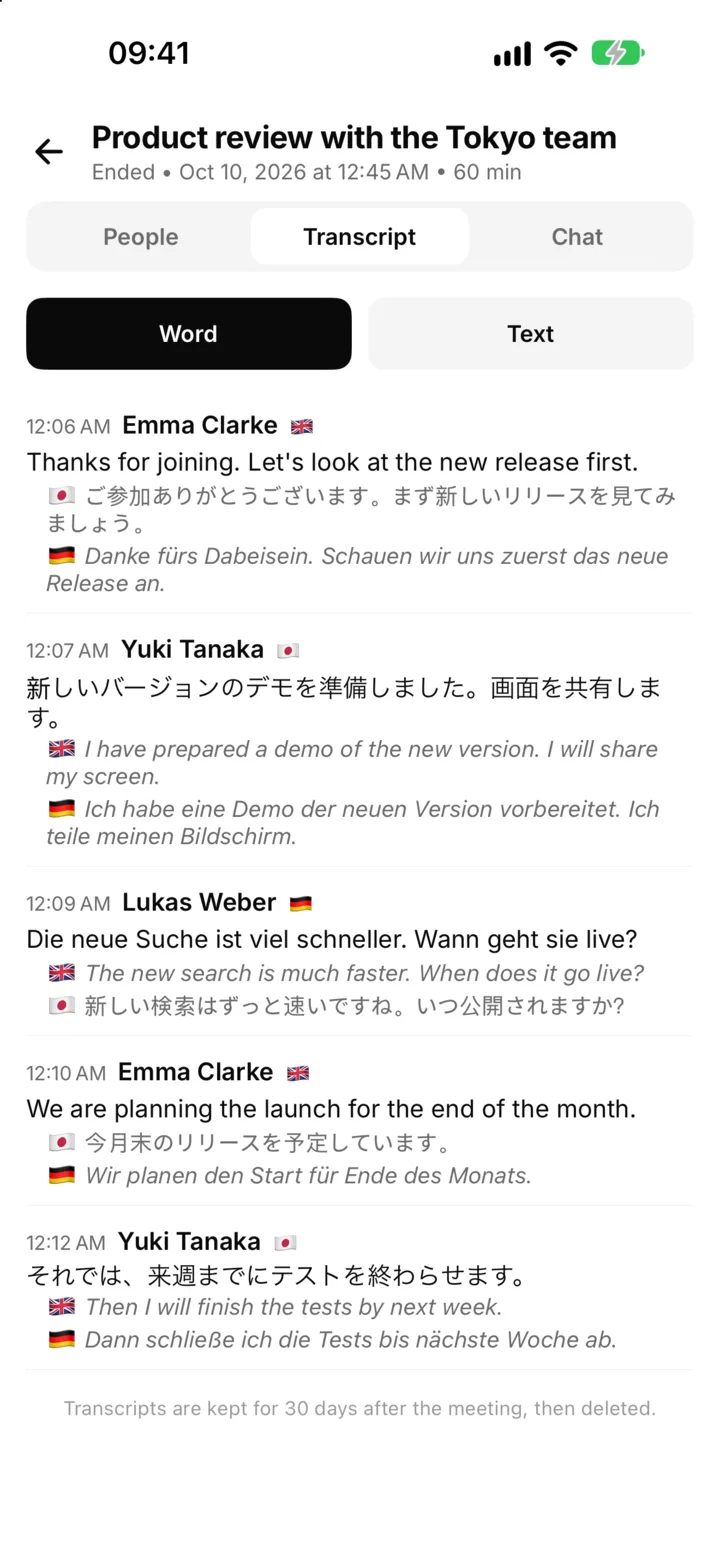
Every sentence is written down in the language it was spoken and as each participant heard it. Nobody has to take notes or translate them afterwards.
- Turn it on when you create the meeting; the host can stop and start it in the room
- Download as Word or text from the room or from past meetings
- Who said what, in which language, with every translation
- Kept for 30 days, with an email a week before they are deleted
In the app or in any browser
Join from the iPhone or Android app, or from a browser on any computer without installing anything. Everyone needs a Sponkly account, which is free: a guest without one is asked to sign in first and then taken back to the meeting.
- iPhone, Android and every modern browser
- Move to another device: join there and the first one leaves
- Join with the microphone or camera off, if you like
- Reminder and waiting-room emails under Notifications & meetings
Meetings you control
Meetings are encrypted in transit and translated on Sponkly's servers, so people in a browser can join.
A password on every meeting
Made for you or chosen by you, and carried in the invite link.
Waiting room
Guests wait until you admit them, one by one or all at once.
Encrypted connections
HTTPS/TLS for the site, DTLS-SRTP for audio and video. Speech is not stored after it is translated.
Your account, protected
Two-factor sign-in, the list of your active devices and sign out everywhere.
People, length and meetings by plan
Every plan can hold meetings. Plans differ in how many people join, how long a meeting lasts and how many you create a month.
The host's translation minutes
Translation uses the host's minutes: one minute of speech translated into one language is one minute. When they run out, translation pauses and video and audio go on.
Only time together counts
A meeting's length counts only the time with two or more people in the room, so you can come back to it later.
Open until you close it
A meeting stays open until the host closes it, or for up to 7 days. It counts toward the month's meetings when it is created.
| Plan | People in a meeting | Longest meeting | Meetings a month | Transcripts |
|---|---|---|---|---|
| Loading plans… | ||||
The same plans as on the Pricing page.