Your video, in another language
Record a video or pick one from your phone, choose a language, and Sponkly makes it again: subtitles in the new language, in the one you spoke, or both, and, where dubbing is offered, a translated voice that sounds like you.
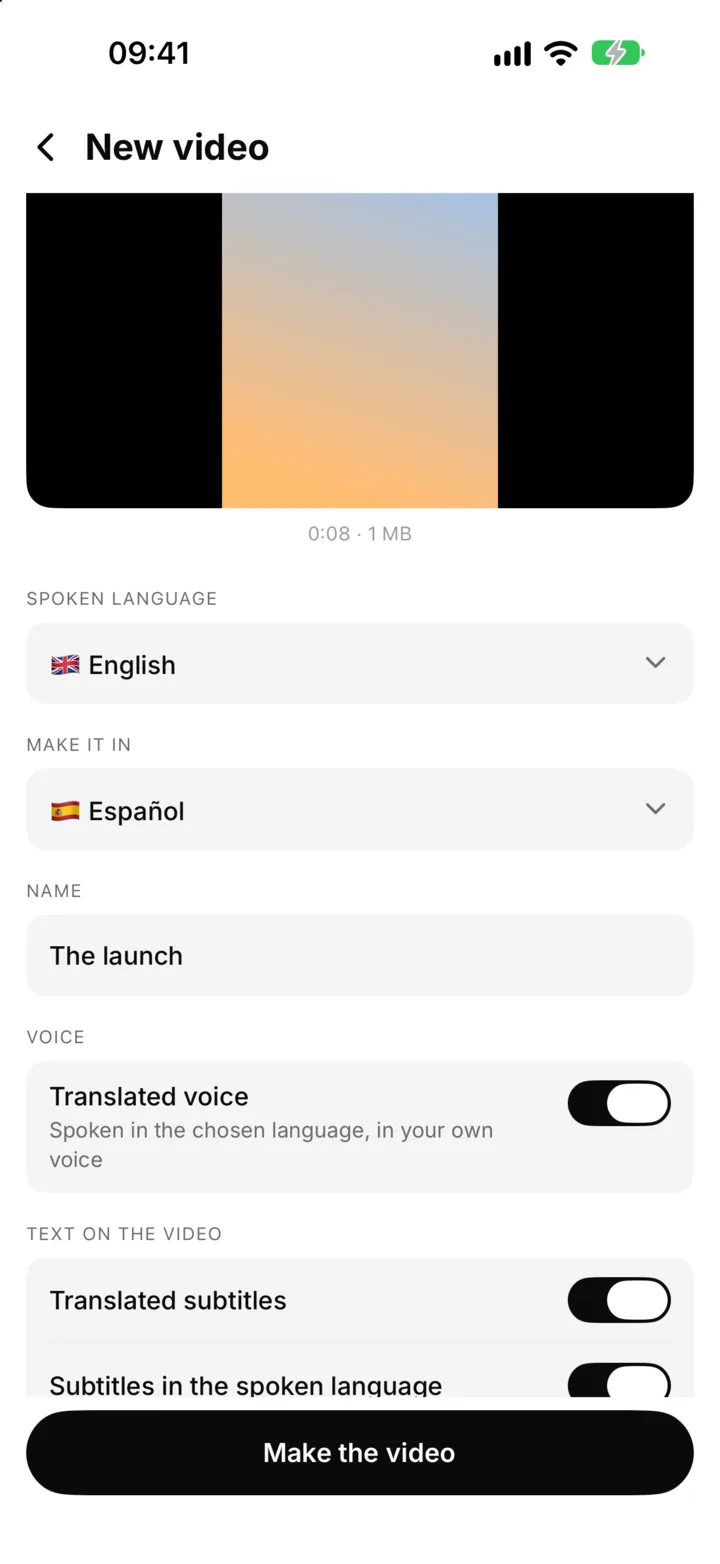
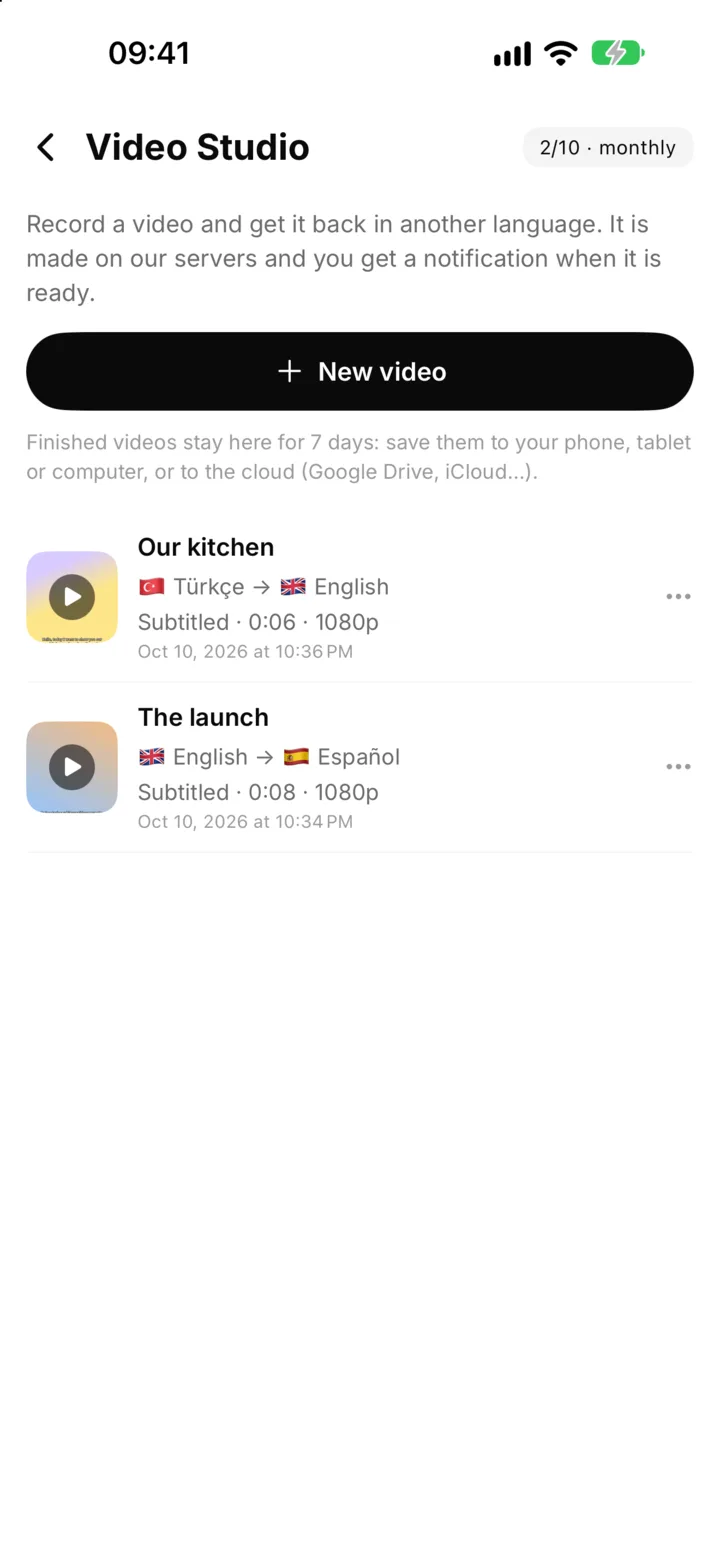
From one language to another in a few taps
Record up to 5 minutes in up to 4K, or choose a video you already have. Tell Sponkly which language is spoken (or let it find out) and which one you want. The video is made on Sponkly's servers: you can close the app, and a notification tells you when it's ready.
- Record in the app or choose a video from your library
- The spoken language is found automatically, or you choose it
- A notification when your video is ready
For creators
One video, audiences in many languages
For YouTubers, TikTok and Instagram creators and influencers, every language is a new audience. Make a video once, then publish it again in Spanish, Arabic, Hindi or any of the 32 languages, with subtitles people can read and, where dubbing is offered, your own voice speaking their language.
- Publish the same video for viewers in other countries
- Burned-in subtitles work when videos play without sound
- Subtitles burned into the video: in the new language, the spoken one, or both
- Your voice in the new language, where dubbing is offered
For businesses
Present your products in your customers' languages
Record a product demo, a service tour or this month's offer once and send it to customers abroad in their own language. Training and onboarding videos reach every team member, wherever they work, without a studio or a translator.
- Product, service and offer presentations in other languages
- Training and onboarding videos for international teams
- A personal message to a customer, in the customer's language
- No studio and no translator: just your phone
Ideas for your next video
Anything you can say in 5 minutes can reach people in another language.
Your channel, in more languages
Turn a video from your YouTube channel into versions for viewers who speak other languages.
Short videos
Reels, TikToks and Shorts with subtitles that keep up even when the sound is off.
Offers and announcements
Tell customers in every market about a launch, a sale or an event, in their language.
Product presentations
Show how a product works or what a service includes, once, for every language you sell in.
Training and onboarding
Explain a process or welcome new colleagues in the language they understand best.
Messages to family and friends
A birthday wish or a travel story for the people you love who speak another language.
You decide what goes on the video
Every video gets its own choices. Burn in subtitles in the new language, in the language you spoke, or both, one above the other. Prefer a clean picture? Leave the subtitles off.
- Translated subtitles, original subtitles, or both
- A translated voice in your own voice, where dubbing is offered
- A name for every video, which you can change at any time
Your videos stay yours
Sponkly is not a place to store your videos. A finished video waits in the app for 7 days so you can save it to your phone, tablet or computer, or to the cloud (Google Drive, iCloud…). Delete it whenever you like and it is gone, together with its picture and subtitles.
- Save or share in a tap
- Kept for 7 days, then removed
- Delete a video at any time
Good to know
Up to 5 minutes, in 4K
Record or choose videos of up to 5 minutes, in up to 4K, up to 4 GB. Up to 3 videos can be in the making at the same time.
In the paid plans
Each paid plan includes a number of videos a month: Starter 3, Professional 10, Business 25 and Enterprise 50. Every minute of video uses 2 of your translation minutes, checked before the video starts. A deleted video still counts for that month; one that fails through our fault does not. Video Studio isn't in the Free plan.
In the iPhone and Android app
Video Studio is in the Sponkly app, not on the website. Open Chats and tap the video icon at the top.
| Plan | Video Studio videos a month | Translation minutes a month |
|---|---|---|
| Loading plans… | ||
The same plans as on the Pricing page.